Learn
Action Plans walkthrough
Cover Ambitio’s quarterly targets with a typed plan, then move Actions from Open to Done.
The short version
Open Action Plans after this quarter’s targets exist. Desktop has three columns: Need a plan, the agent, and the board.
Diego already covered Operators invited this quarter with a Leads plan: Invite operators from the waitlist. Pick another target (or Build a plan) for Offers or Business model.
That plan is Running because Draft the invite note is In progress. There is no Start button. Maya owns Book three setup calls.
Walkthrough
Step 1
Pick a target that needs a plan
On the Plans tab, Need a plan still lists Ambitio targets that have no plan. The board already shows Invite operators from the waitlist. Click an uncovered target or Build a plan. The center column becomes Builder scoped to that target.
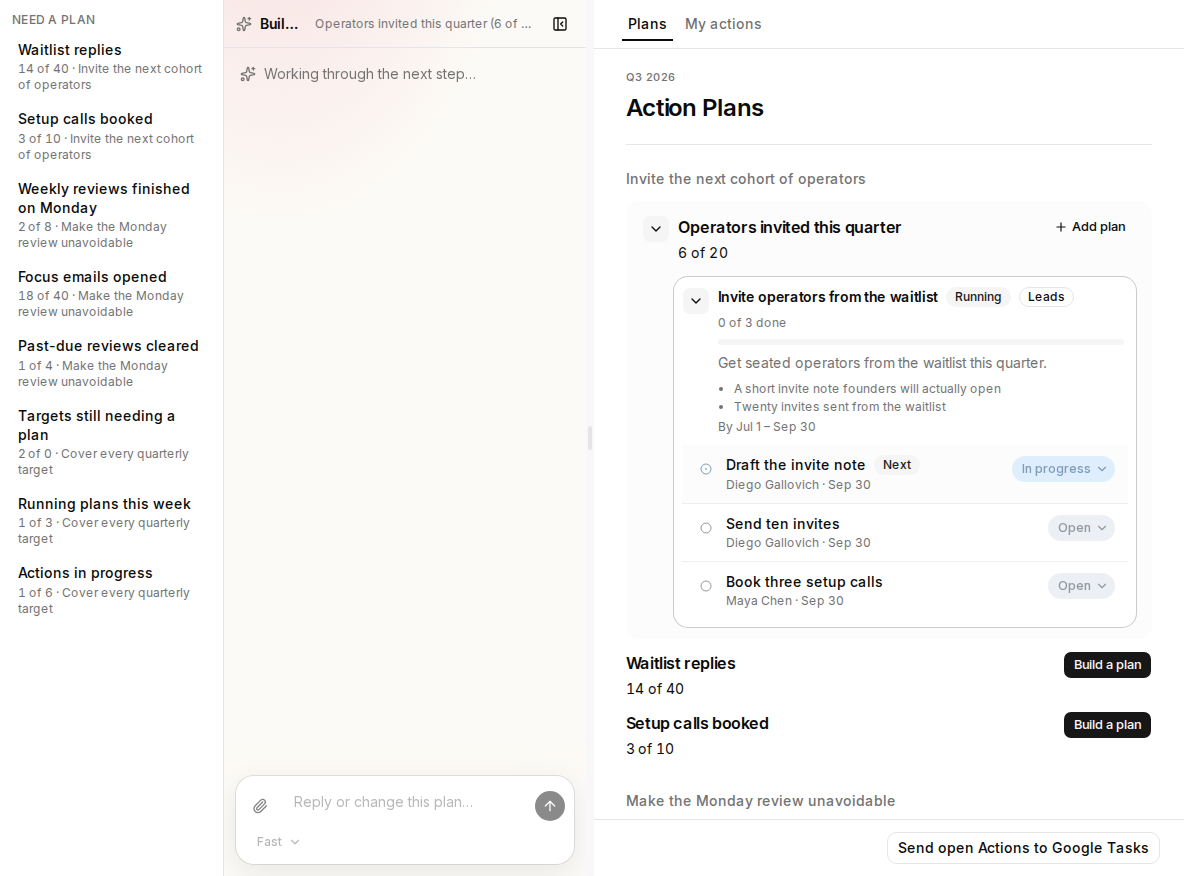
- Need a plan — quarterly targets still uncovered.
- Builder — the agent for covering that target.
- Invite operators from the waitlist — Ambitio’s Leads plan.
Step 2
Cover the target
Let the Builder propose a plan name and a type. Diego’s first plan is Leads: a short invite note and twenty waitlist invites. One type per plan. Use Add plan if the same target needs a second plan.
- Need a plan — stays until every target has at least one plan.
- Builder — offers names; you confirm on the board.
- Type badge — Leads for the waitlist plan.
Step 3
Do the work
Open Draft the invite note. Move status Open → In progress → Done. Diego already marked it In progress, so the plan is Running. Send ten invites is next. Book three setup calls is Maya’s.
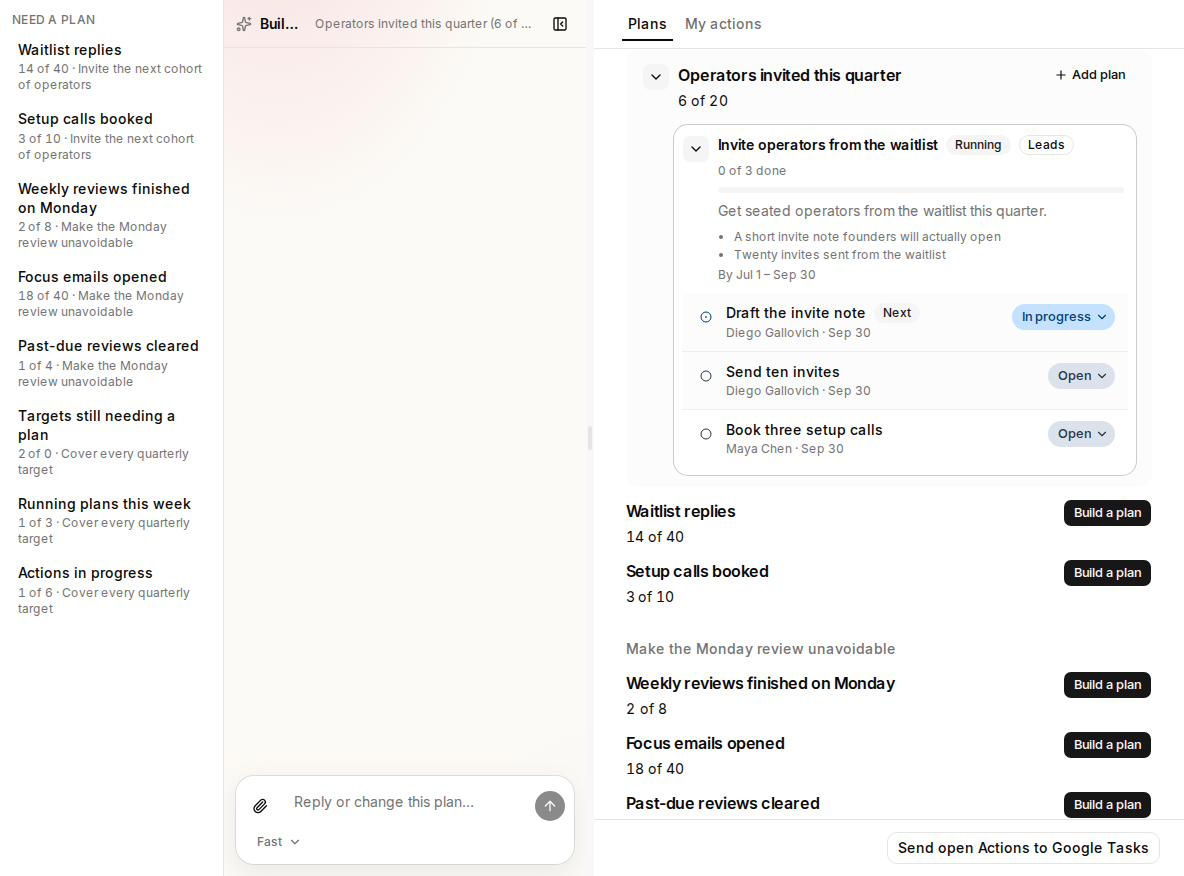
- Draft the invite note — Diego’s current Action.
- In progress — the plan is now Running.
- Maya’s Action — Book three setup calls.
Check your understanding
Check your understanding
01Where do you start when a quarterly target has no plan?
02When does an Action Plan start running?