Learn
Strategy walkthrough
Write Ambitio’s ten answers in Strategy Builder, then save the set so Goals and Action Plans open.
The short version
Open Strategy on the Ambitio venture. The Strategy Builder sits on the left. The draft sits on the right, starting with founder-led teams of 1–15.
Talk until all ten answers under the four questions look honest. Diego’s set is already drafted: who we serve, how we win, what we refuse, what could stop us. Edit a box if a line is off.
Click Save strategy. Goals and Action Plans open next. You can revise the strategy later. The previous row stays as pivoted.
Walkthrough
Step 1
Open the builder
From Ambitio’s sidebar, click Strategy. Strategy Builder is on the left. The Draft on the right already names the audience: founder-led teams of 1–15. If you just created the venture, you are already here.
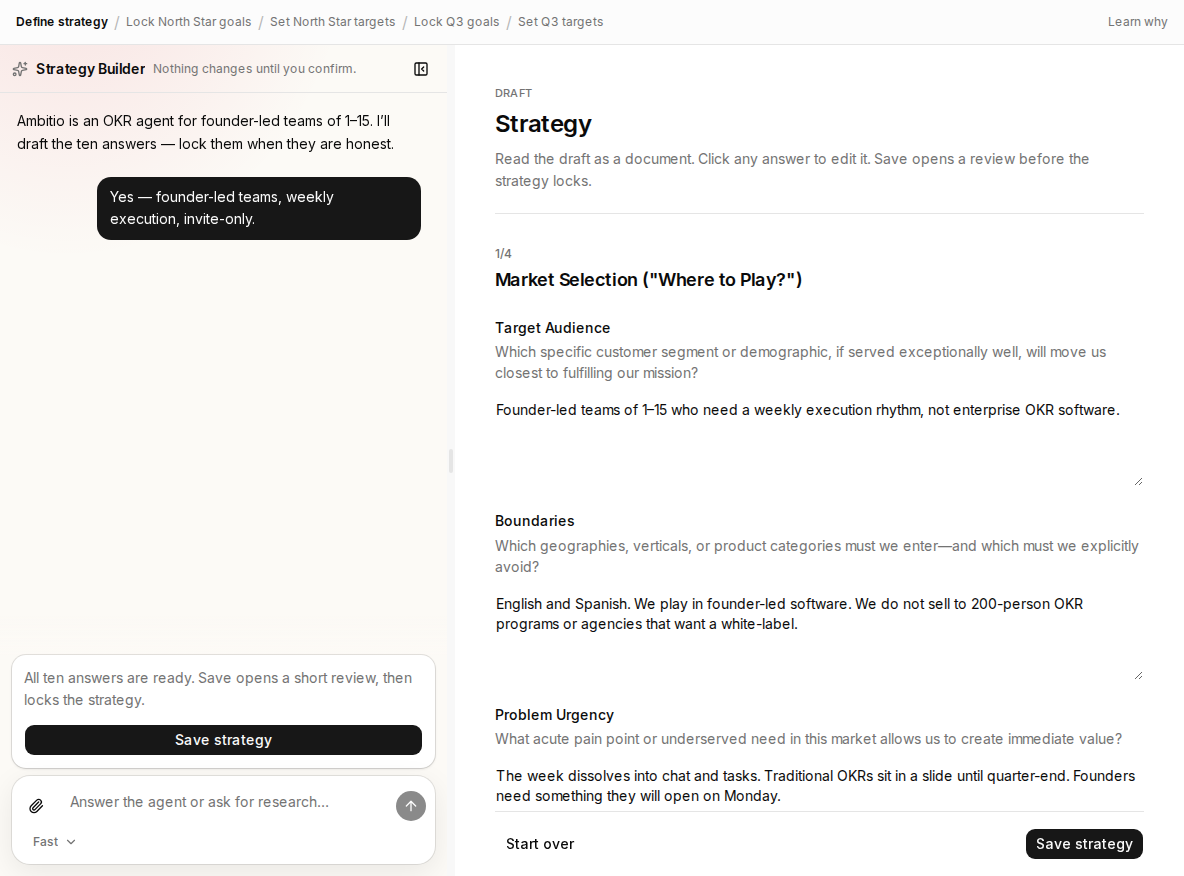
- Strategy Builder — the only chat for this page.
- Draft — Ambitio’s answers under Where do you play?
- Save strategy — on once all ten answers are filled.
Step 2
Fill the ten answers
Answer in chat. The canvas updates. Diego’s lines cover English and Spanish, a check-in when the work changes, and no white-label. You can type in a box if a line is wrong. The four questions are: Where do you play? How do you win? What do you say no to? What could stop you?
- Chat — Diego already confirmed founder-led teams.
- Ten answers — edit a box if the wording is off.
- Save strategy — click when the set is honest, not perfect.
Step 3
Save, then continue
Click Save strategy. You can revise it anytime. The previous version stays in history as pivoted. Then continue to Goals & Targets.
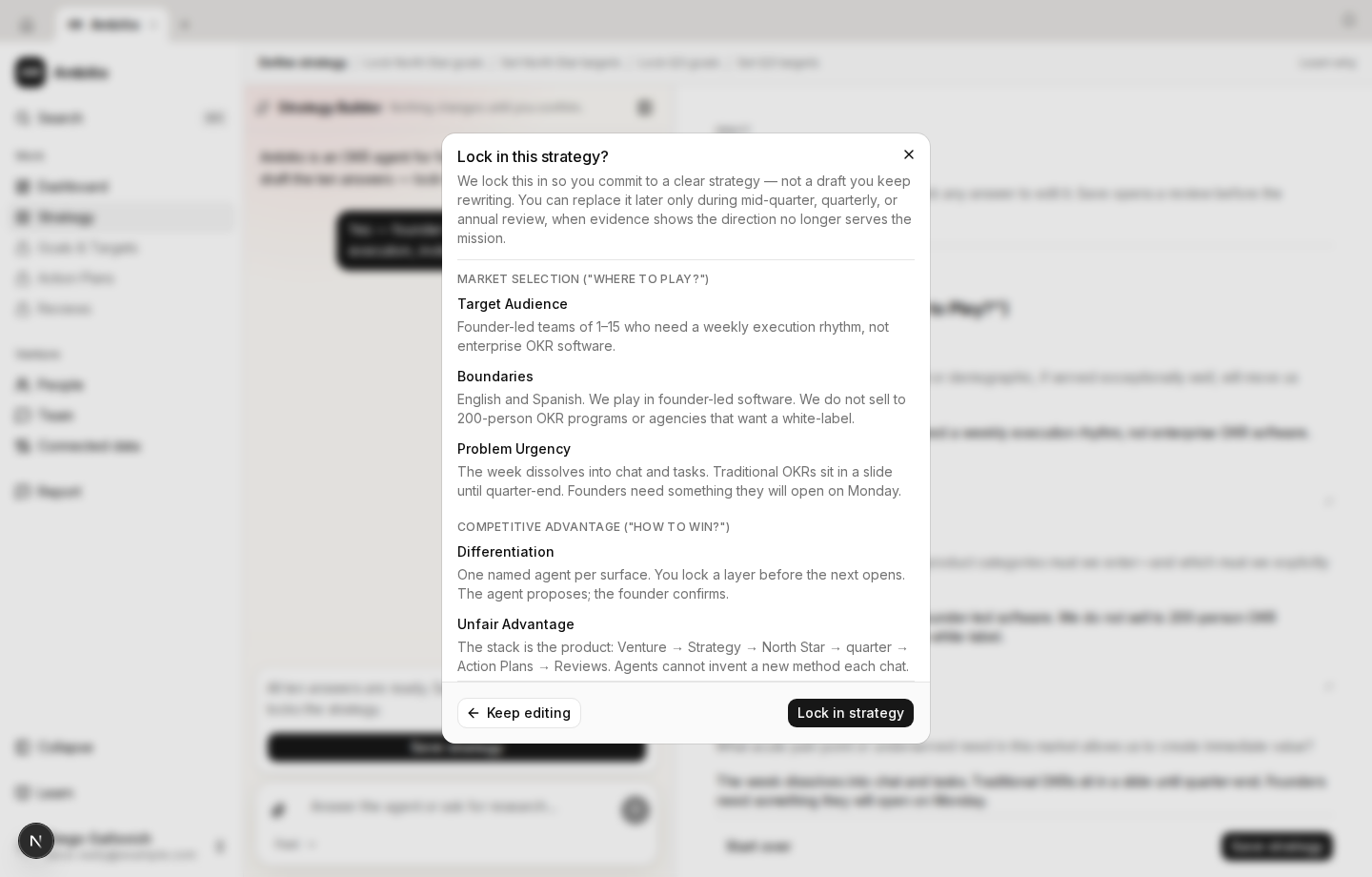
- Save strategy when the ten answers are honest.
- History keeps the previous row as pivoted.
- Continue to Goals and Targets when you are ready.
Check your understanding
Check your understanding
01Where do you talk while writing strategy?
02When can you click Save strategy?